AVAILABLE NOW / 01
Video & MP3 Downloader
Save videos or convert supported media to MP3 with a clean, easy-to-use desktop tool. Made for media you own or are authorised to download.
IDSofts Video & MP3 Downloader gives you a straightforward way to save and convert media you are permitted to download—without a complicated workflow.
Get IDSofts Downloader →Our software is built around one goal: help you handle the media you need with less effort and fewer confusing steps.
Save videos or convert supported media to MP3 with a clean, easy-to-use desktop tool. Made for media you own or are authorised to download.
Split an audio file into useful sections, trim unwanted parts, and prepare clips faster—without learning complex editing software.
No crowded screens or unnecessary settings. IDSofts tools focus on the job you came to do, so you can finish quickly.
Whether you are saving a reference video, preparing an audio clip, or keeping a personal media collection, our tools are designed to stay out of your way.
Start with content you own or have permission to use.
Select the download or audio format that works for you.
Keep the process simple while your file is prepared.
Access your saved media whenever you need it.
IDSofts Audio Splitter is coming soon. It will make it easy to cut long recordings into the sections you actually need.
Get product updates →Tell us where the friction is. We will help you find a practical path from today’s challenge to a solution your team can rely on.
Contact salesWatch the video demonstration, then explore the actual screens for loading links, managing MP3 files, and finding songs by name.
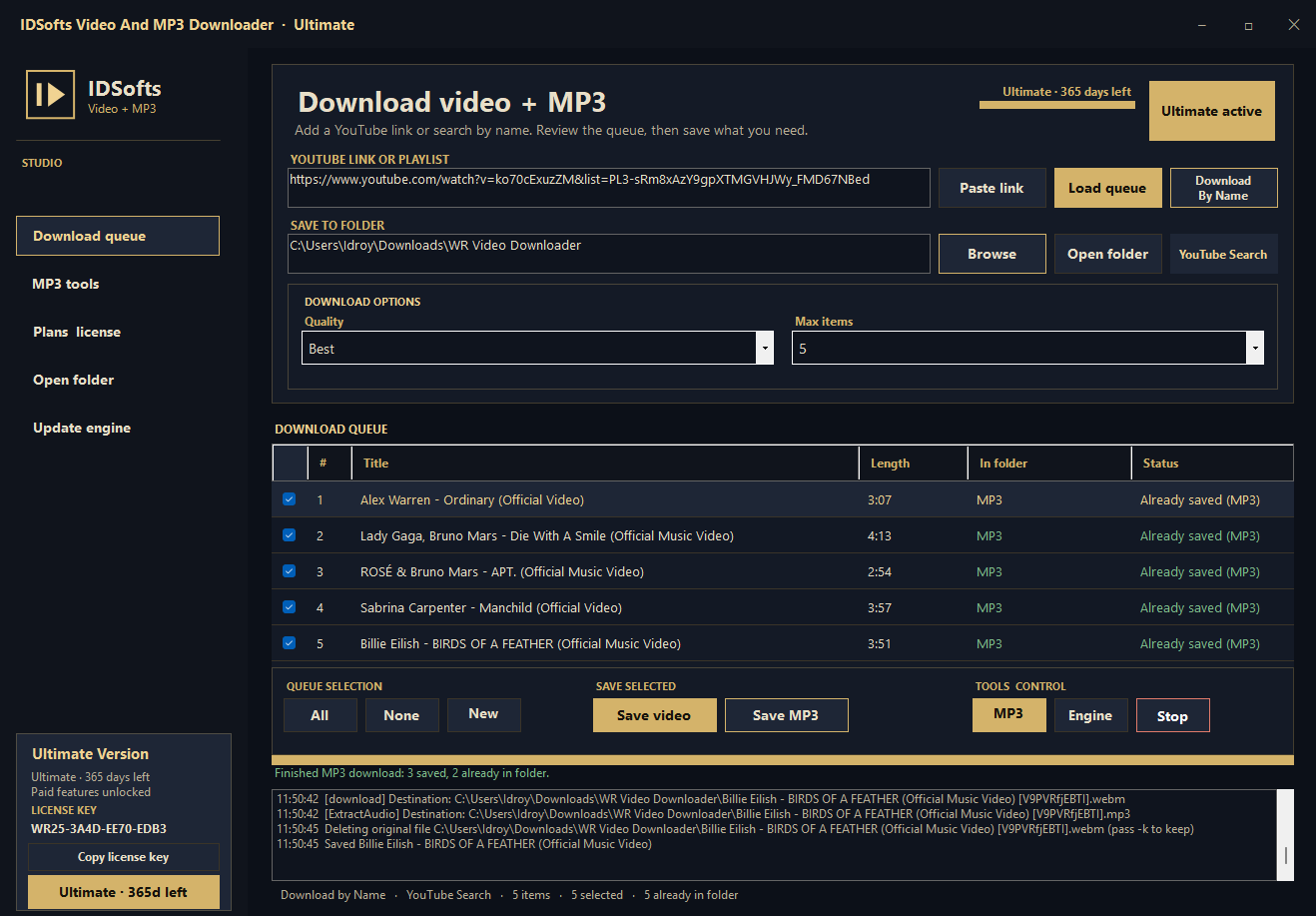
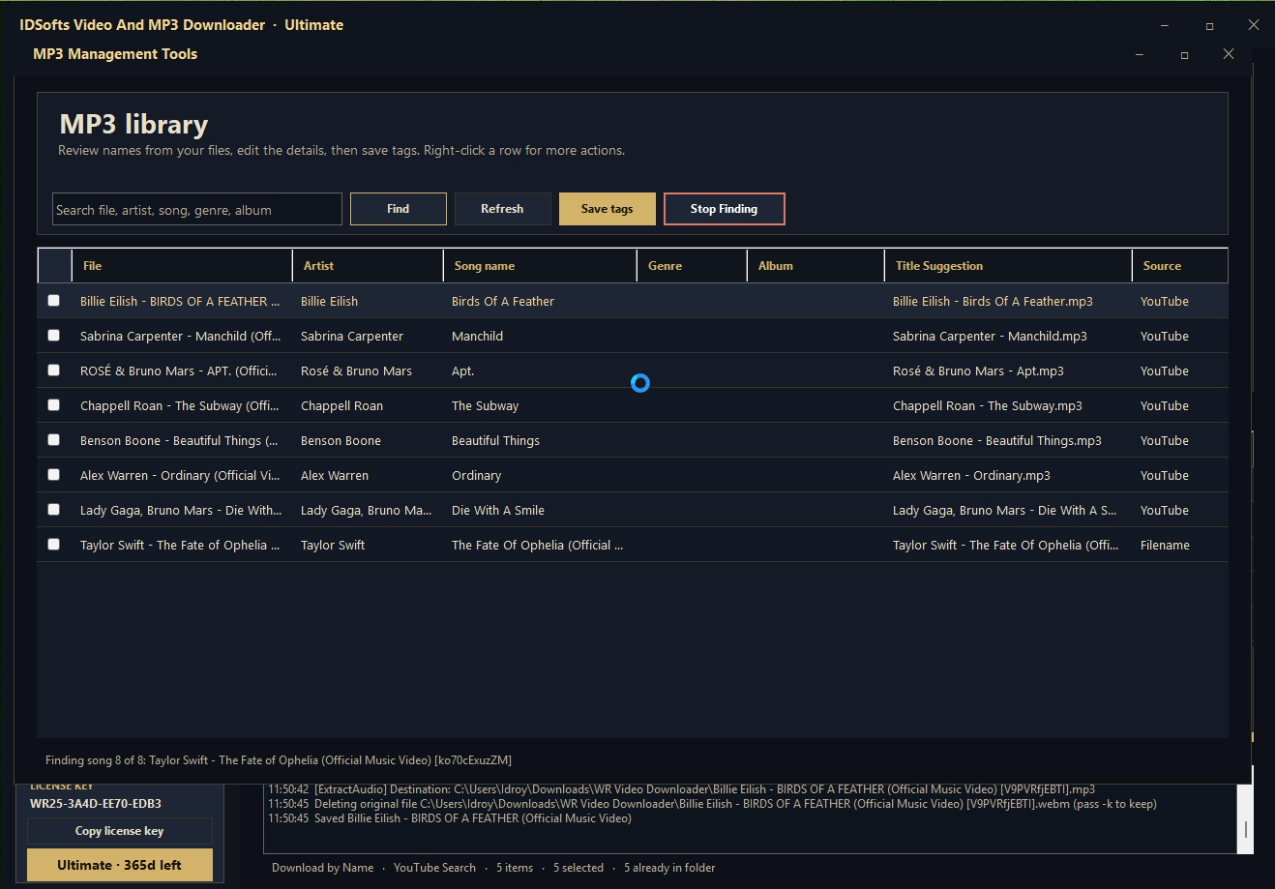
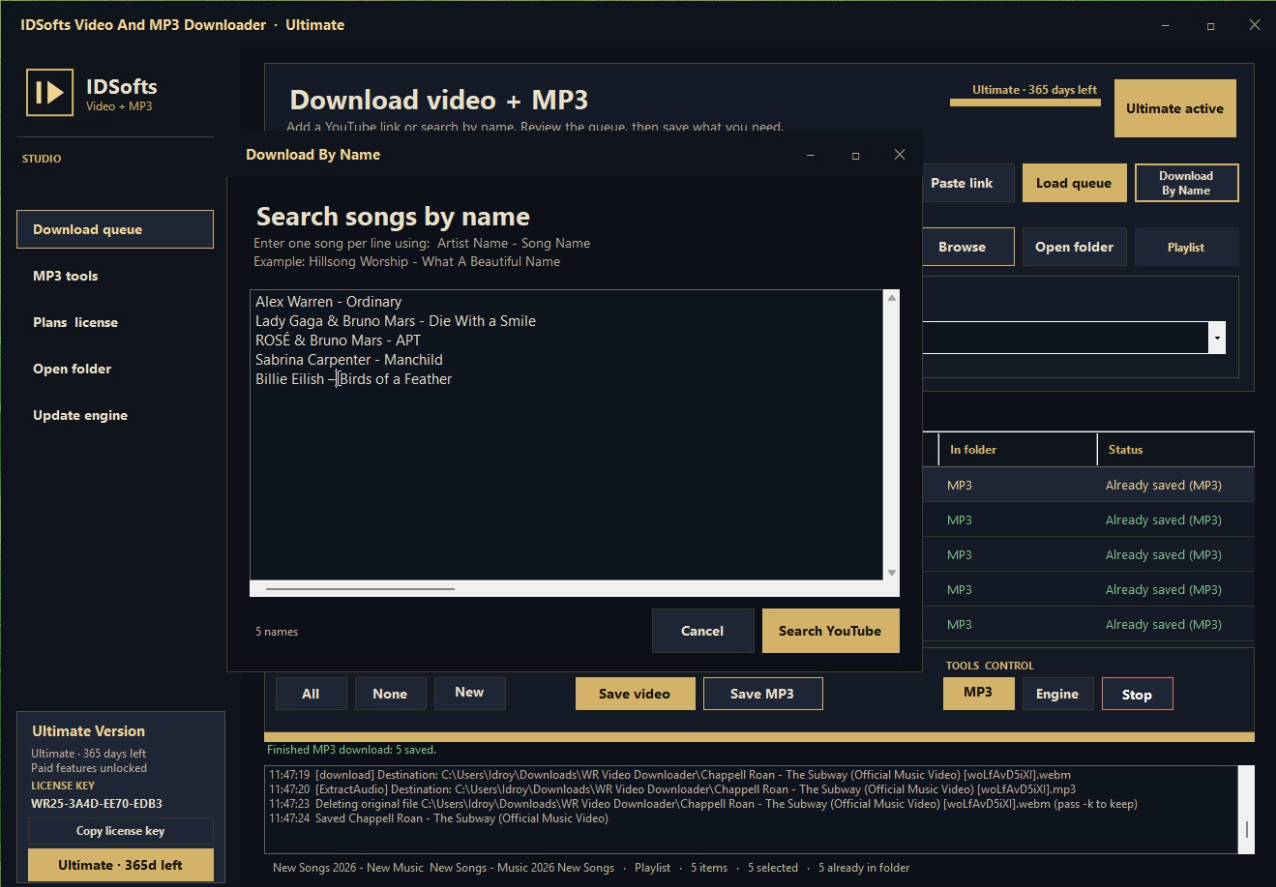
Every plan includes MP3 management tools. Paid licenses are for one computer at a time and include a 365-day term.
Try the core downloader at no cost.
Extra discovery tools for regular use.
Full access for frequent music searches.
IDSofts Video And MP3 Downloader is ready to run from the ZIP package. No installer and no separate .NET installation are needed.
Download for Windows →Keep the extracted folder together. Do not run the application directly from inside the ZIP file.
IDSofts Video And MP3 Downloader is a Windows desktop app. Use it only with content you own or are authorised to save.